How Quotra Works
From the first phone call to a paid, finished job.









1 · Your shop today
Requests come in by phone, by email, and at events, and land on sticky notes, in notebooks, and across spreadsheets. Keeping track of who wants what, and by when, is a job in itself — and something always slips.
The nine steps
1 · Your shop today
Requests come in by phone, by email, and at events, and land on sticky notes, in notebooks, and across spreadsheets. Keeping track of who wants what, and by when, is a job in itself — and something always slips.
2 · Switch to Quotra
Retire the sticky notes and spreadsheets. Pick a Quotra plan and bring in your team, your products, and your customers.
- Add your team · Pro+
- Wholesaler catalog import · Pro+
- Set up your whole shop from one workbook · Premier
3 · Quote
Build a professional quote in minutes — at your desk or on your phone at a show.
- Favorite products
- Saved, shareable views · Premier
- Quote from your phone
4 · Confirm
Your customer opens a link — no account, no password — and approves the quote.
- No-login customer portal
- Deposits · Pro+
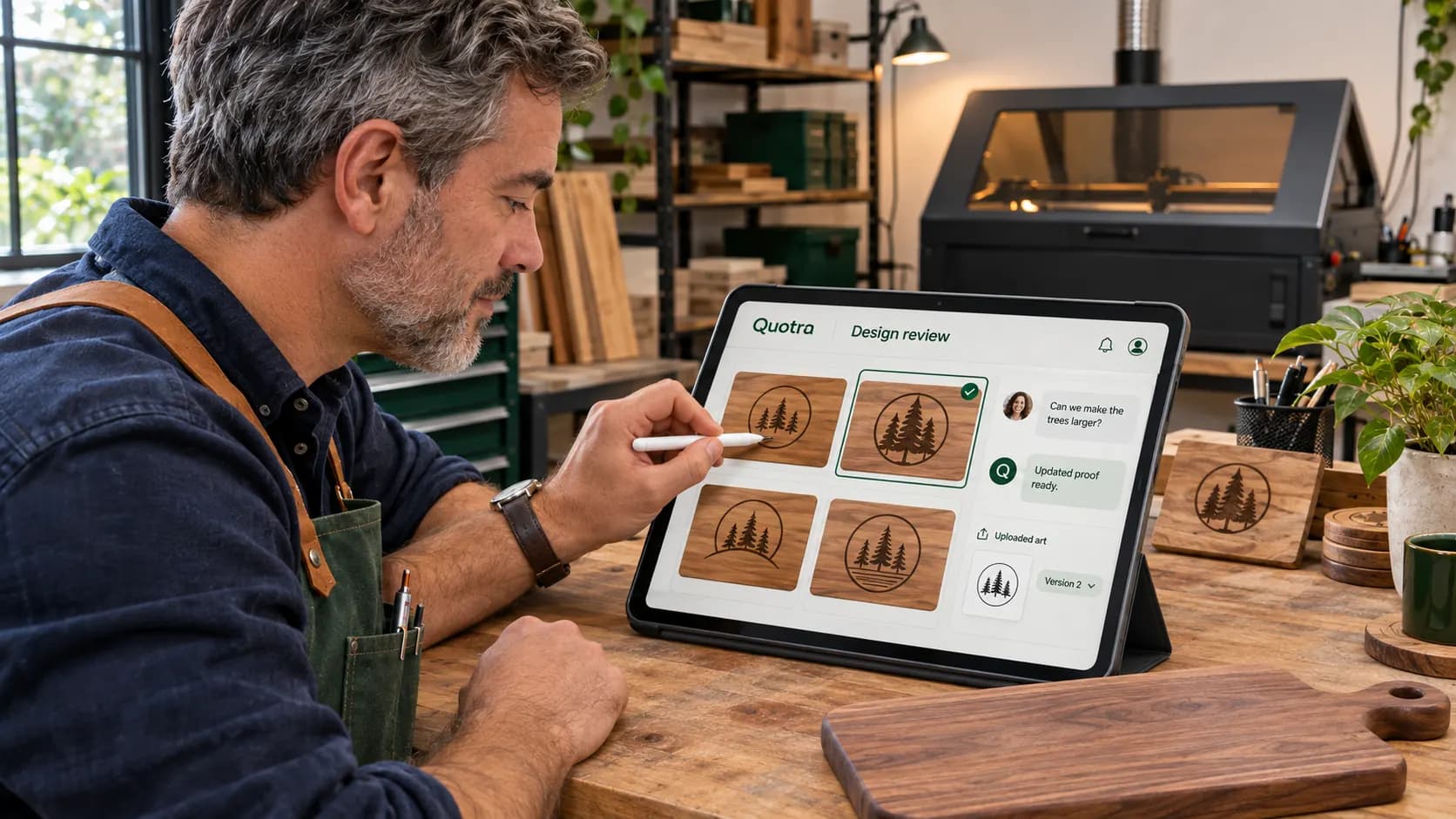
5 · Design review
Trade proofs back and forth until it's exactly right. Your customer can upload art, leave notes, and pick between options.
- Back-and-forth proofs
- Customer uploads their own art
- Pick-one-of-four options
6 · Production
Schedule the work and keep your customer posted — they follow along on the same tracker you see.
- Production calendar · Pro+
- Live customer tracker
7 · Fulfillment
Pickup, local delivery, shipping, or hand it over at the show.
8 · Invoice
Send the invoice. Your customer pays however they like, and the money goes straight to you.
- No cut of your sales
- No markup on processing
9 · Complete
Every job, start to finish, in one place. The sticky notes can go.

Quote it. Make it. Get paid your way.
Start quoting in the time you actually have.
Set your shop up between customer calls. 14-day free trial, no card required.